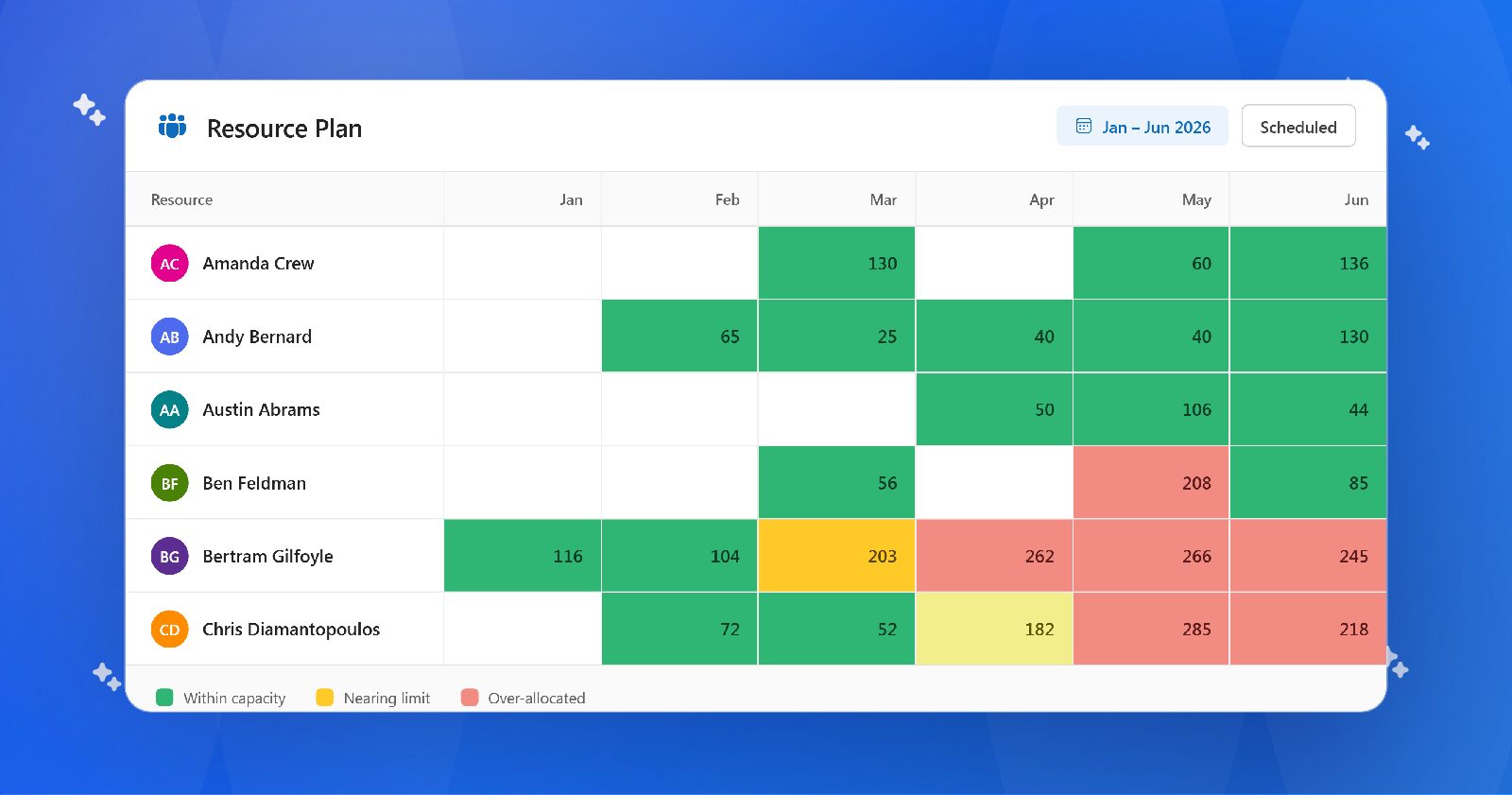
Assigning people to projects is the easy part. The harder problem is knowing who’s actually free, when, and for how long, before you’ve already overbooked your best people or missed a deadline because nobody flagged the conflict.
Ask any project manager what happens when leadership wants to take on one more project, and you’ll hear the same story: hours lost cross-referencing spreadsheets, calendars, and gut instinct, hoping the numbers hold up.
Resource management software replaces that guesswork. It gives PMs, PMOs, and leadership a live view of who’s working on what, how much capacity is left, and where demand is headed, so staffing decisions get made on actual data instead of a hunch.
In this guide, we’ll cover:
- Why resource management software matters
- The top resource management tools available today
- The features worth investing in
- How to evaluate vendors
- What separates enterprise-ready platforms from basic scheduling tools
Best Resource Planning Softwares: At a Glance
| Tool | Best For | Starting Price | Ideal Team Size |
|---|---|---|---|
| OnePlan | Strategic Portfolio & Resource Management | Try for free; $10/month for 3 users; contact sales for enterprise | Mid-size to enterprise |
| Float | Resource Scheduling | $7.50–$12.50/user/month | Small to mid-size teams |
| Smartsheet | Collaborative Work Management | $9/user/month (Pro tier) | Small teams to enterprise |
| Wrike | Enterprise Work Management | Free tier available; Team plan starts at $10/user/month | Mid-size to enterprise |
| ClickUp | All-in-One Project Management | Free plan; Unlimited starts at $7/user/month | Solo users to enterprise |
Why Resource Management Software Matters
Spreadsheets break down the same way every time. One shared workbook turns into five departmental versions, and within a few months no two project managers are looking at the same numbers.
The cost shows up in specific, painful ways: a lead engineer double-booked across three launches in the same week, or leadership greenlighting a new initiative without knowing every business analyst is already at capacity. These aren’t edge cases. They’re the default outcome when nobody has a single view of who’s working on what.
Resource management software fixes the visibility problem. People, projects, and demand live in one system, so conflicts surface weeks or months before they become deadline emergencies, not after.
That shift shows up directly in delivery: better workload balance, higher utilization, more predictable timelines, and fewer last-minute scrambles.
Top 5 Resource Management Tools
There are plenty of project and portfolio management platforms on the market, but not all of them are designed for enterprise-level resource and capacity planning across the organization.
Here are five of the strongest options.
1. OnePlan — Best for Strategic Portfolio & Resource Management
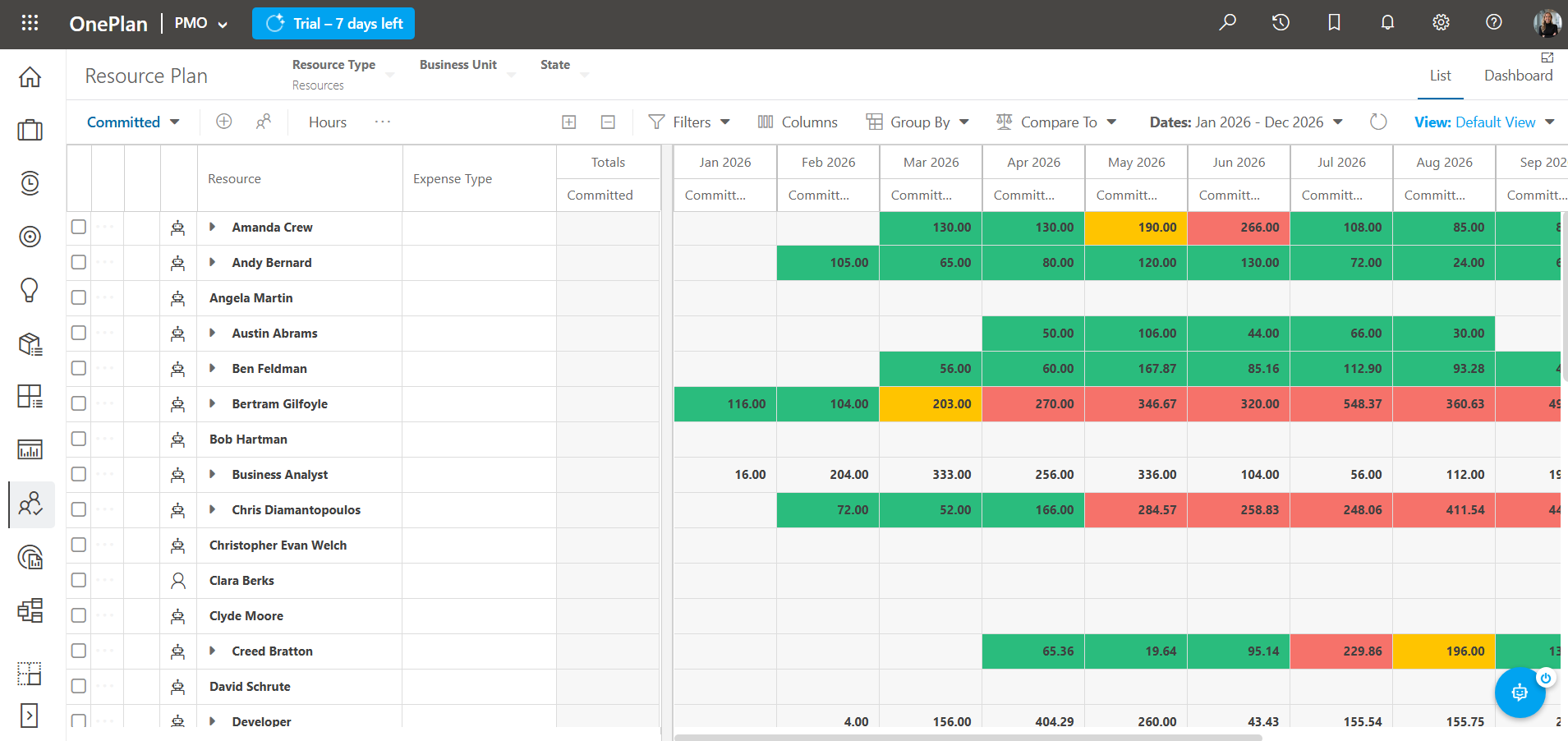
OnePlan helps organizations align people, projects, budgets, and business strategy in one platform. With AI-powered resource capacity planning, scenario modeling, financial planning, and portfolio management, it’s built for PMOs and enterprise leaders who need to make confident investment and staffing decisions across the organization.
2. Float — Best for Resource Scheduling
Float is purpose-built for resource planning and team scheduling, making it easy to assign work, manage capacity, and visualize team availability. It’s a popular choice for professional services firms, agencies, and organizations focused on optimizing resource utilization.
3. Smartsheet — Best for Collaborative Work Management
Smartsheet combines the familiarity of spreadsheets with project management, automation, and team collaboration. It’s well suited for organizations that want flexible work management with lightweight resource planning and customizable workflows across multiple departments.
4. Wrike — Best for Enterprise Work Management
Wrike is designed for organizations managing complex projects across teams with built-in workflow automation, request management, and reporting. It’s a strong fit for marketing, operations, IT, and PMO teams looking to standardize work and improve visibility across the business.
5. ClickUp — Best All-in-One Project Management Platform
ClickUp brings together tasks, documents, goals, dashboards, and collaboration in a highly customizable workspace. It’s ideal for growing teams that want to manage projects, improve productivity, and keep work organized in a single platform.
What to Look for in Resource Management Software
Every platform promises better planning, but a handful of capabilities make the biggest difference in day-to-day operations.
Capacity Planning
Know who’s available before new work begins—not after deadlines slip. Good software shows available hours by role, team, location, or individual so you can make staffing decisions with confidence.
Resource Scheduling
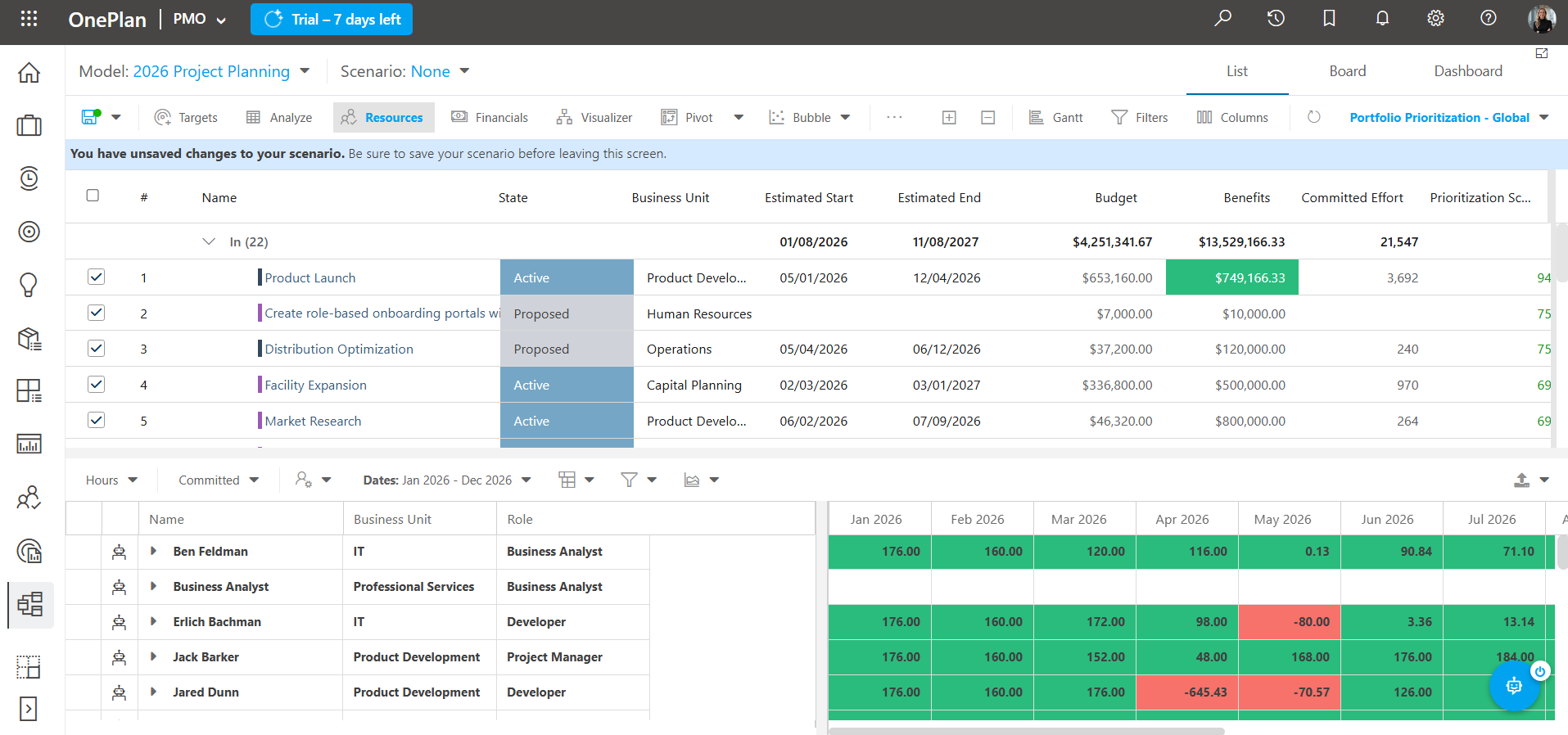
Assign work quickly and rebalance workloads when priorities change. Visual schedules and drag-and-drop planning make it easier to respond when projects inevitably shift.
Forecasting
Looking only at today’s workload isn’t enough. Forecasting helps you see where demand is headed so you can hire, train, or adjust priorities before bottlenecks appear.
Reporting
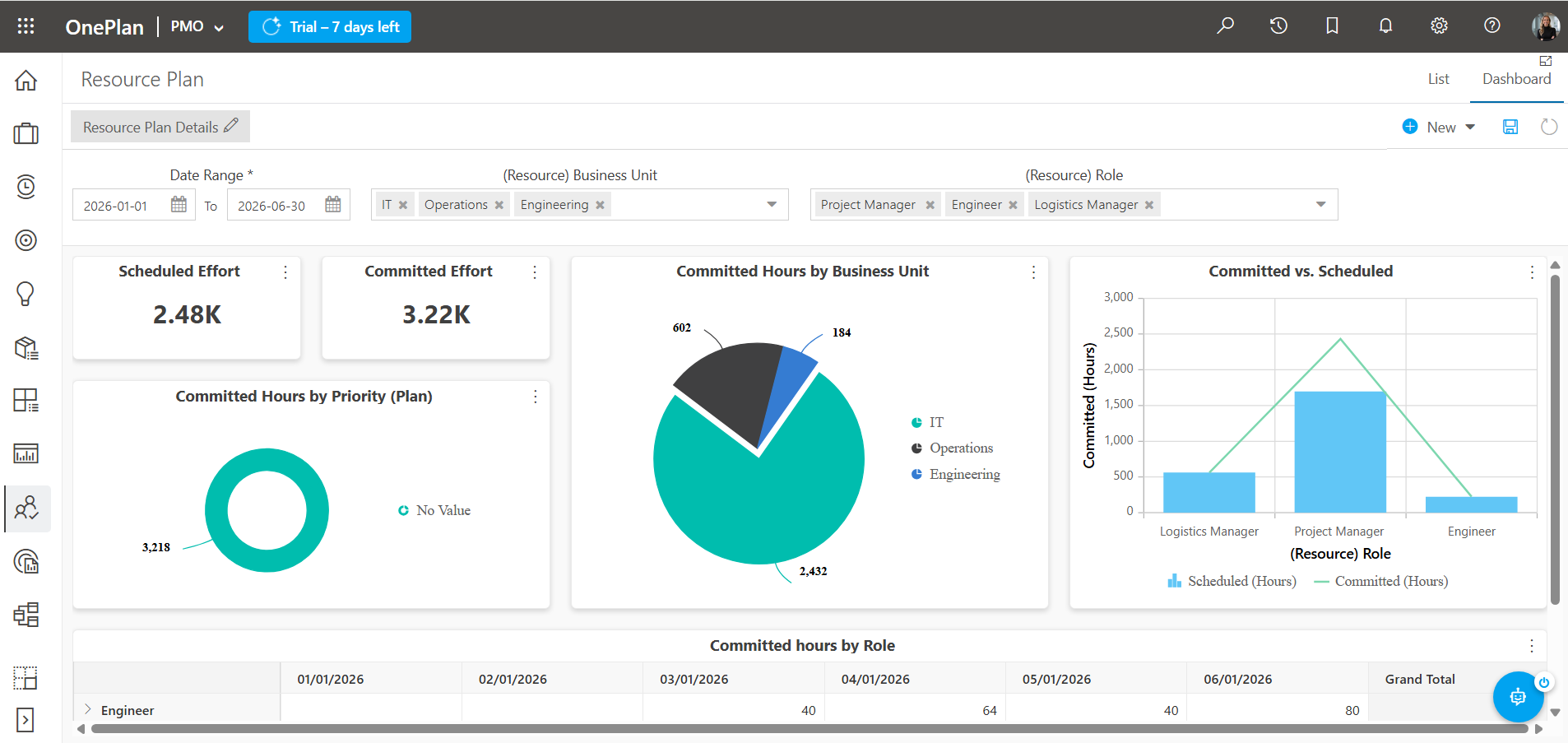
Executives don’t want another spreadsheet—they want answers.
The best platforms make it easy to understand utilization, capacity, project health, and staffing trends with dashboards everyone can trust.
Integrations
Resource planning shouldn’t live in isolation.
Look for software that connects with the tools your teams use across the organization. For example, OnePlan integrates seamlesly with the entire Microsoft ecosystem, Jira, Azure DevOps, Microsoft 365, Monday.com, Smartsheet, and many more.
AI-Powered Resource Planning Saves Time
Once the basics are in place, modern platforms can take planning even further by spotting risks before you do and answering questions quickly for leadership.
AI can recommend the best available resource for a project based on skills, workload, location, or availability. Scenario planning lets you answer questions like:
“What happens if we delay this project?”
“Can we start this initiative next quarter?”
“What if we hire two contractors instead?”
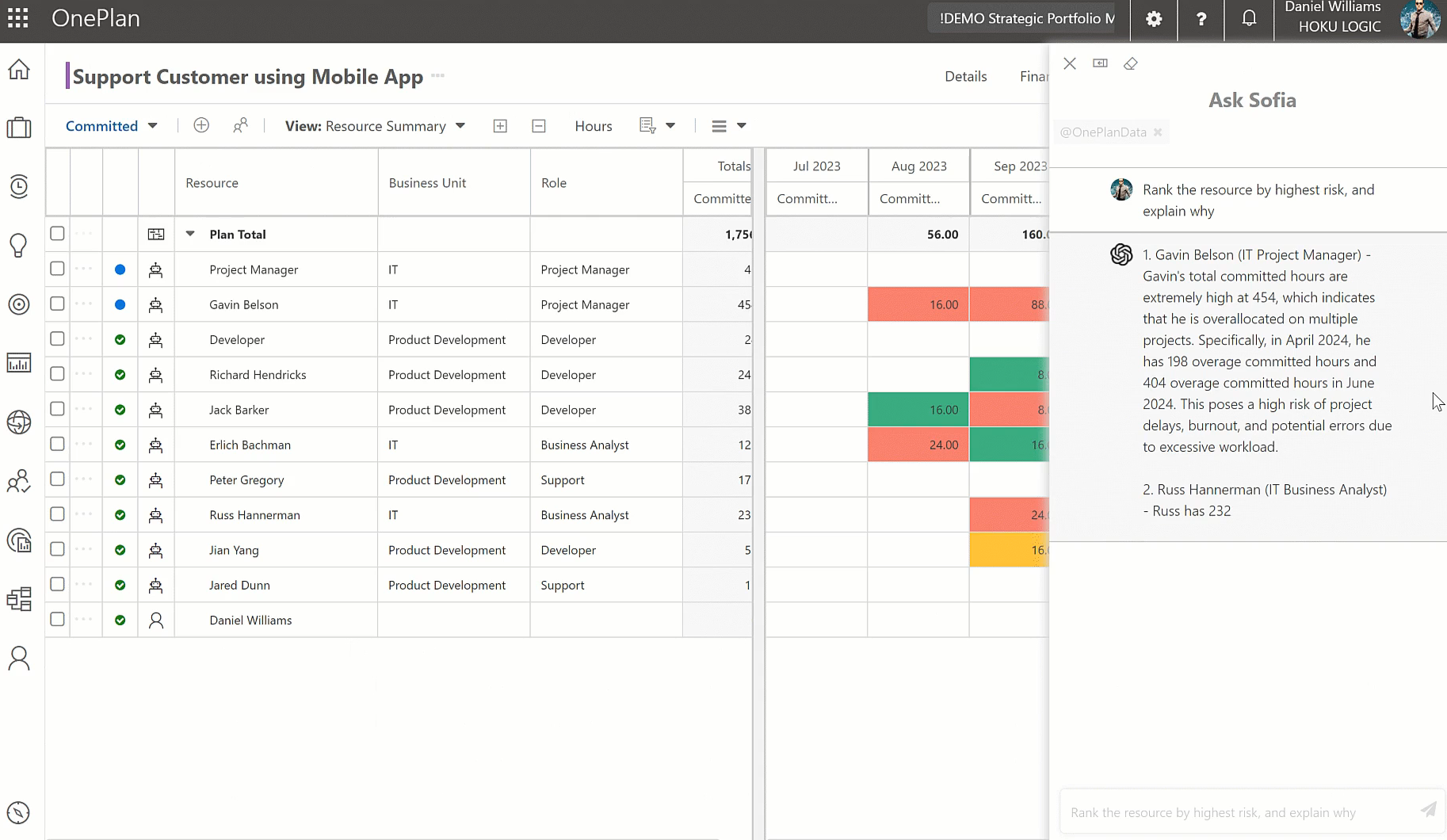
OnePlan’s AI assistant, Sofia does exactly that. Sofia AI helps you make smarter staffing decisions by analyzing capacity, demand, skills, and project priorities in real time. Instead of manually sorting through spreadsheets and reports, teams can quickly identify resource gaps, forecast needs, and optimize allocations with AI-driven recommendations.
How to Choose the Best Resource Management Software For Your Team
Use these four themes to guide your evaluation process:
1. Adoption
Will project managers actually use it without a six-week training cycle? Look for tools your team can learn from existing workflows, not ones that require rebuilding how people already work.
2. Scalability
Does pricing and performance hold up as your portfolio grows from 20 projects to 200? Check seat-based pricing models specifically; some tools get expensive fast at scale.
3. Integration
Does it connect to the tools you’re not replacing (Jira, Slack, your finance system)? A resource management tool that lives in isolation creates a sixth spreadsheet, not a solution.
4. Reporting that gets used
Will executives open the dashboard, or will someone export it to a slide deck anyway? If leadership won’t look at it directly, the reporting layer isn’t doing its job.
5. Time to value
How many weeks from purchase to your first real planning cycle? Long implementation timelines kill momentum and budget approval.
Why Organizations Choose OnePlan
Many tools help teams schedule work. OnePlan goes a step further by connecting resource planning with portfolio management, financial planning, and strategic prioritization.
That means leadership can answer bigger questions, not just,” who’s available?” but also:
- Can we fund this initiative?
- What projects should take priority?
- Do we have the right skills for next quarter?
- What happens if priorities change?
Instead of managing projects one at a time, organizations gain a complete view of people, investments, and business strategy in one platform.
Frequently Asked Questions
What is resource management software?
Resource management software helps organizations plan, assign, and optimize people across projects. It provides visibility into capacity, utilization, skills, and future demand.
Who uses resource management software?
Resource managers, PMOs, project managers, operations leaders, finance teams, and executives all benefit from having a shared view of capacity and project demand.
What’s the difference between resource planning and project planning?
Project planning focuses on what needs to be done. Resource planning focuses on who will do the work and whether they have the capacity to deliver it.
Can resource management software improve utilization?
Yes. By identifying overbooked resources and hidden availability, organizations can balance workloads, reduce downtime, and improve project delivery.
Final Thoughts
Whether you’re managing a small PMO or a global portfolio, investing in the right resource management platform helps teams deliver more work with less chaos.
For organizations looking to connect strategic planning, financial management, and resource planning in one platform, OnePlan provides an enterprise-ready solution built for today’s PMOs and leadership teams.