August Product Update: Automated Planning, Greater Flexibility
At OnePlan, we’re committed to continuously reducing friction, improving scalability, and helping organizations make better decisions with greater confidence. The August release puts that commitment into action, with a sharp focus on performance, usability, data accuracy, and interoperability across the platform.
Better Planning with More Accurate Resource and Financial Data
The Project Connector now brings time-phased resource assignments from Microsoft Project directly into OnePlan, preserving the detail needed for accurate forecasting across the Work Plan, Resource Plan, and Financial Plan. A construction PMO scheduling trades week-by-week in Microsoft Project no longer has to flatten that detail when it lands in OnePlan. Cost forecasts stay precise instead of relying on rough monthly averages.
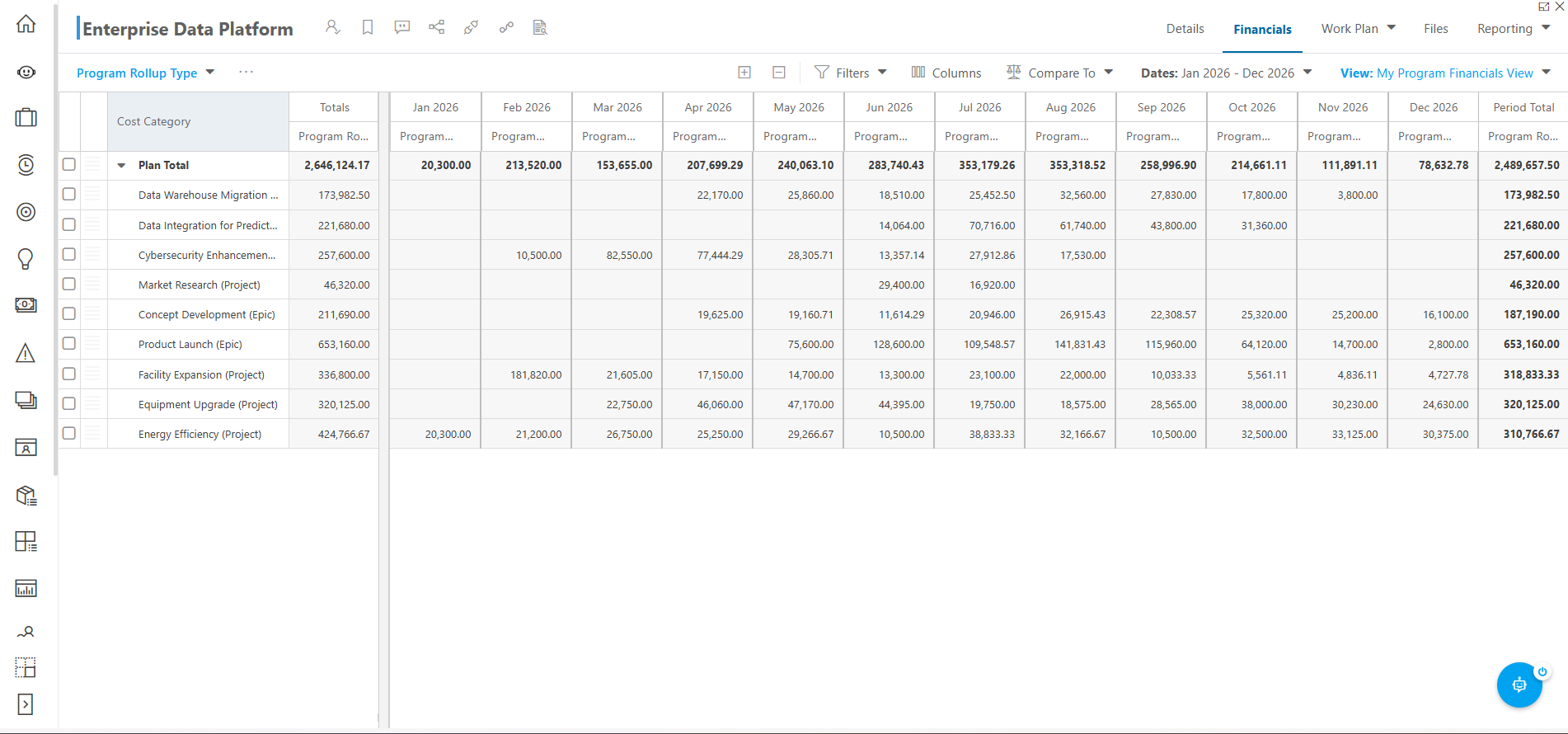
The new Resource Usage View also makes it easier to see that time-phased demand directly within the Work Plan, giving project managers and resource leaders greater visibility into who is working on what and when. We’ll continue building on this foundation in upcoming releases.
More Flexible Plan Details for Growing Organizations
Plan Details now support multiple pages, so administrators can organize information into purpose-built sections — executive summaries, business cases, financial information, governance, and project health — instead of one long form. A PMO lead can point executives straight to a status page, while a finance reviewer opens the same plan to its financial page.
Enhanced Financial Visibility
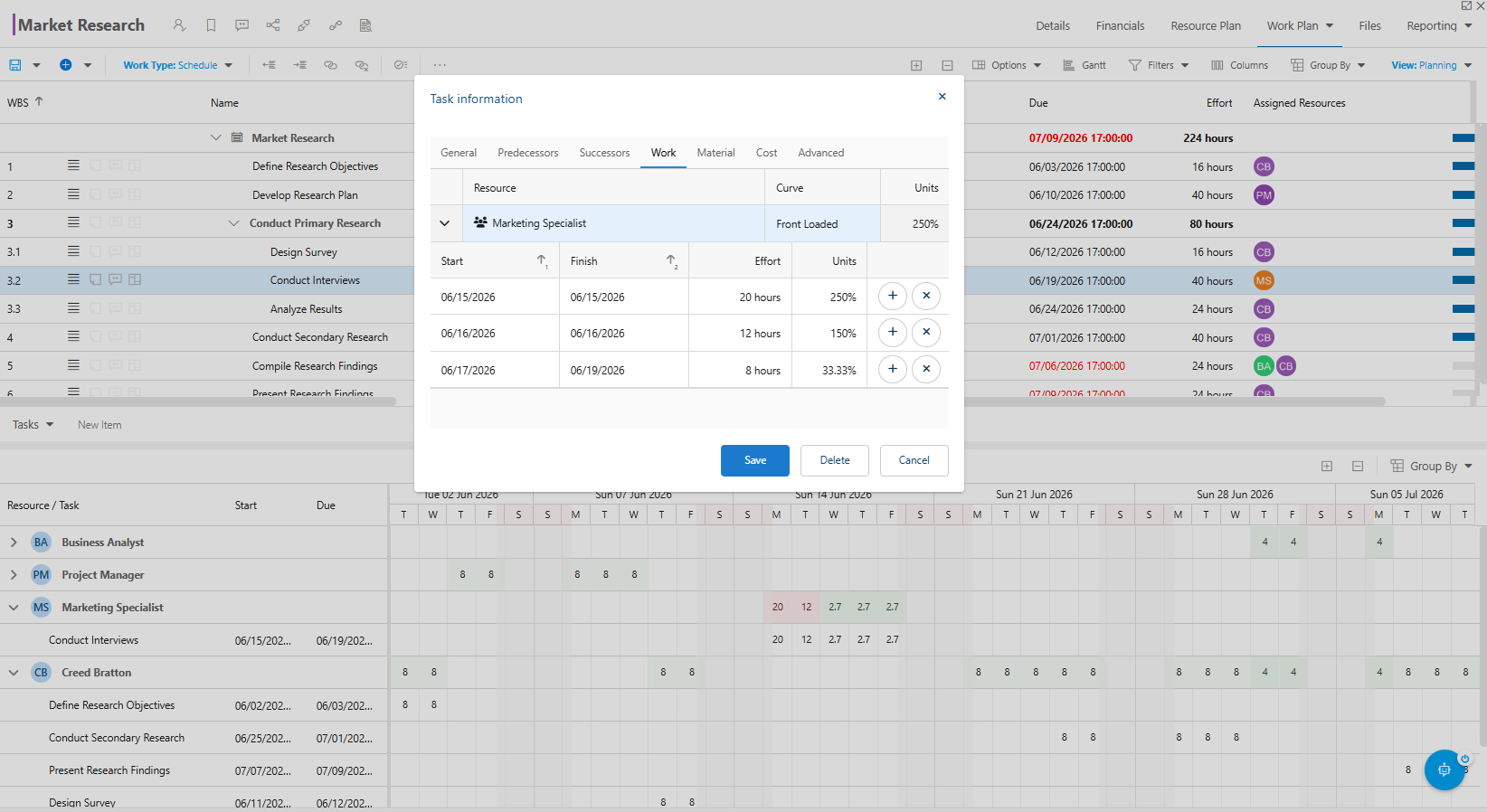
New financial rollups let managers view related plan financials together in one place, so program and portfolio leaders can compare rolled-up costs against higher-level budgets and catch variances earlier. A portfolio director overseeing a dozen projects can now spot a cost overrun weeks before it would surface in a quarterly review.
Time-phased costs and cost resource imports also carry directly into Financial Plans for more accurate budgeting.
Faster Resource Planning and Capacity Analysis
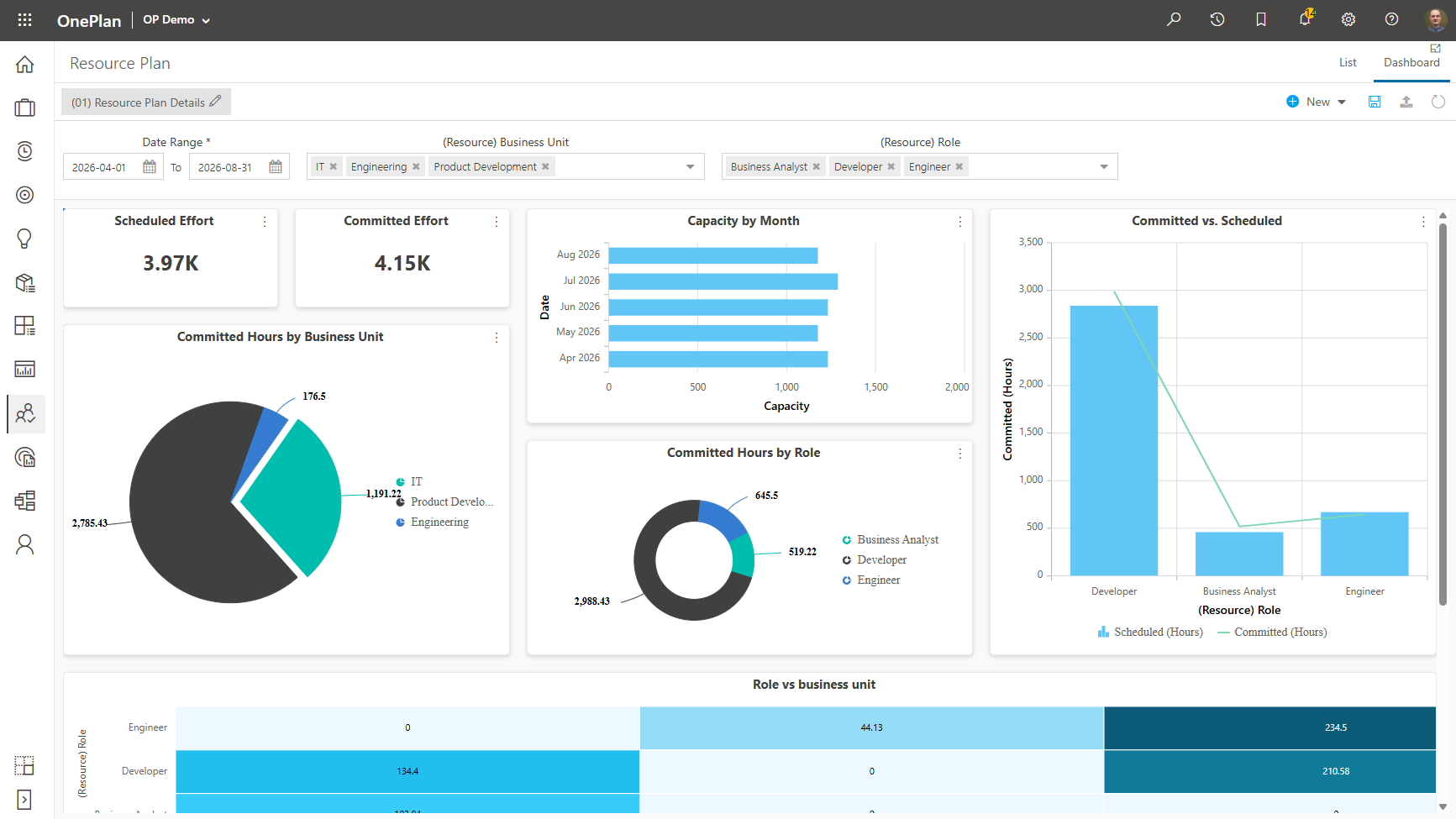
Resource Plan performance is significantly improved for large datasets, and dashboards now provide access to calculated capacity data — so a resource manager balancing engineering and design teams can build a live capacity view instead of exporting to Excel every week, spotting overallocation before it becomes a bottleneck.
More Powerful Native Dashboards
OnePlan’s native dashboards gain new Treemap visualizations, Gantt chart support within dashboard tables, expanded field support, capacity reporting data sources, and improved widget formatting making it easier to build executive-ready reporting without third-party BI tools. An operations lead can now show relative project spend and schedule status side by side in one monthly review dashboard.
Simplified Time Entry Experience
For Timesheets users, the Day Entry panel now opens only when needed, cutting unnecessary clicks. A consultant logging hours across several client projects gets through their timesheet faster each week.
Faster Performance Across the Platform
This release optimizes Work Plan loading and saving, Resource Plan demand calculations, OData services, integration processing, and large schedules. Enterprise PMOs managing hundreds of projects and thousands of assignments should notice a noticeably smoother experience, even during peak planning cycles.
Stronger Integration with Microsoft Tools
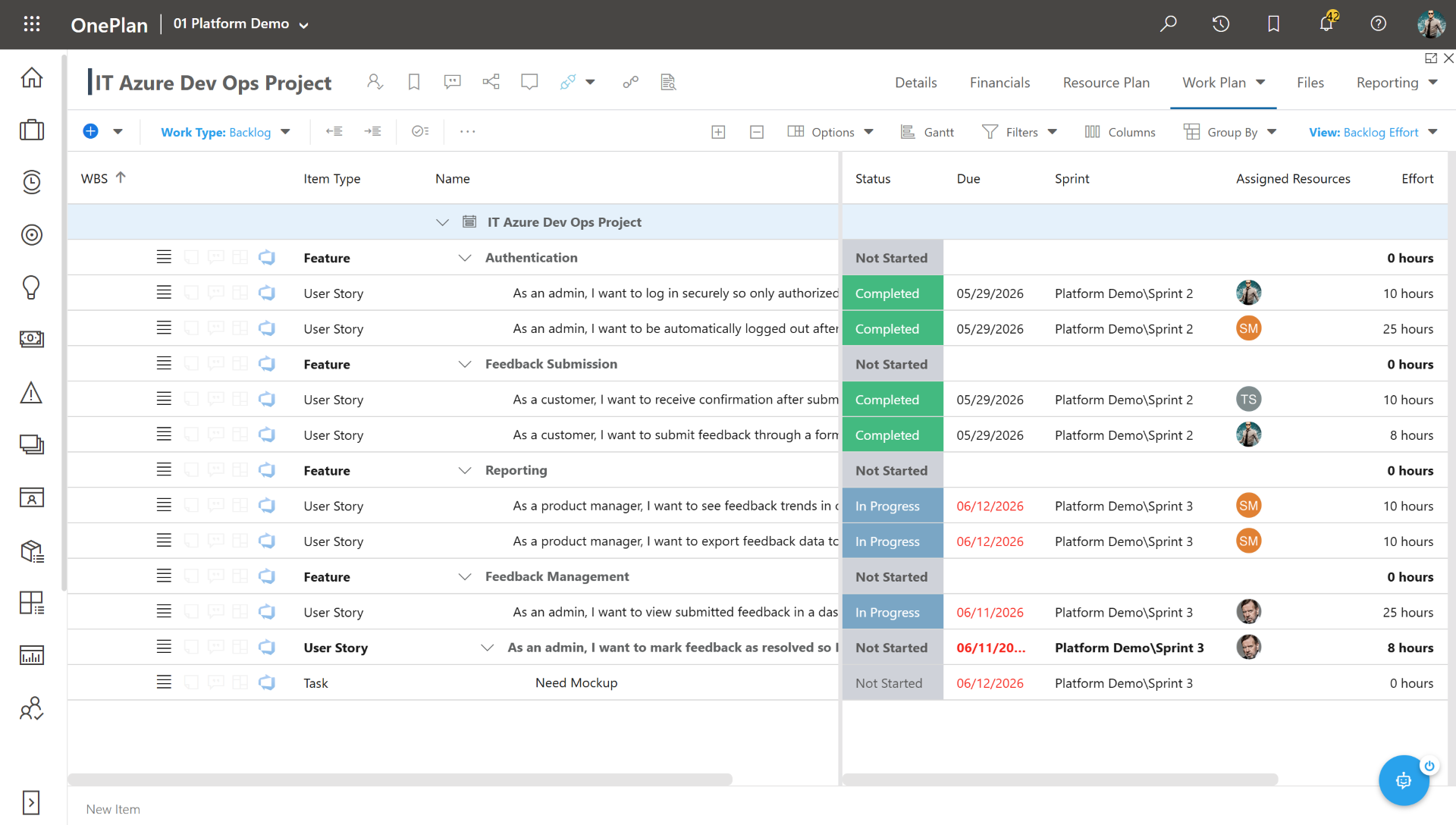
Microsoft Project users benefit from improved synchronization of time-phased assignments, cost tables, and task constraints. Azure DevOps users get new near real-time synchronization, so a software delivery team closing out sprint tasks sees those updates reflected in OnePlan almost immediately — no more reporting on stale data from last night’s sync.
Continuing to Invest in the Future
This month’s enhancements support larger strategic initiatives already underway across our roadmap, strengthening the foundations organizations depend on every day. Our goal remains unchanged: to help organizations plan with confidence, execute with clarity, and make better decisions through connected work, resource, and financial insights.
The August release is another step forward on that journey.
If you want to go more in depth, read the full release notes here.