Sofia AI is OnePlan’s built-in AI assistant. It answers projects questions in natural language, forecasts delivery risk before it lands, and drafts board-ready reports in seconds — without leaving Teams.


Sofia AI gives PMO leaders and project managers an always-on AI collaborator that works inside OnePlan — reading your live data and answering the questions you ask every day in meetings, reviews, and planning sessions.
Sofia AI does not require data exports, prompt engineering, or a separate tool. It works inside OnePlan with the data already there.
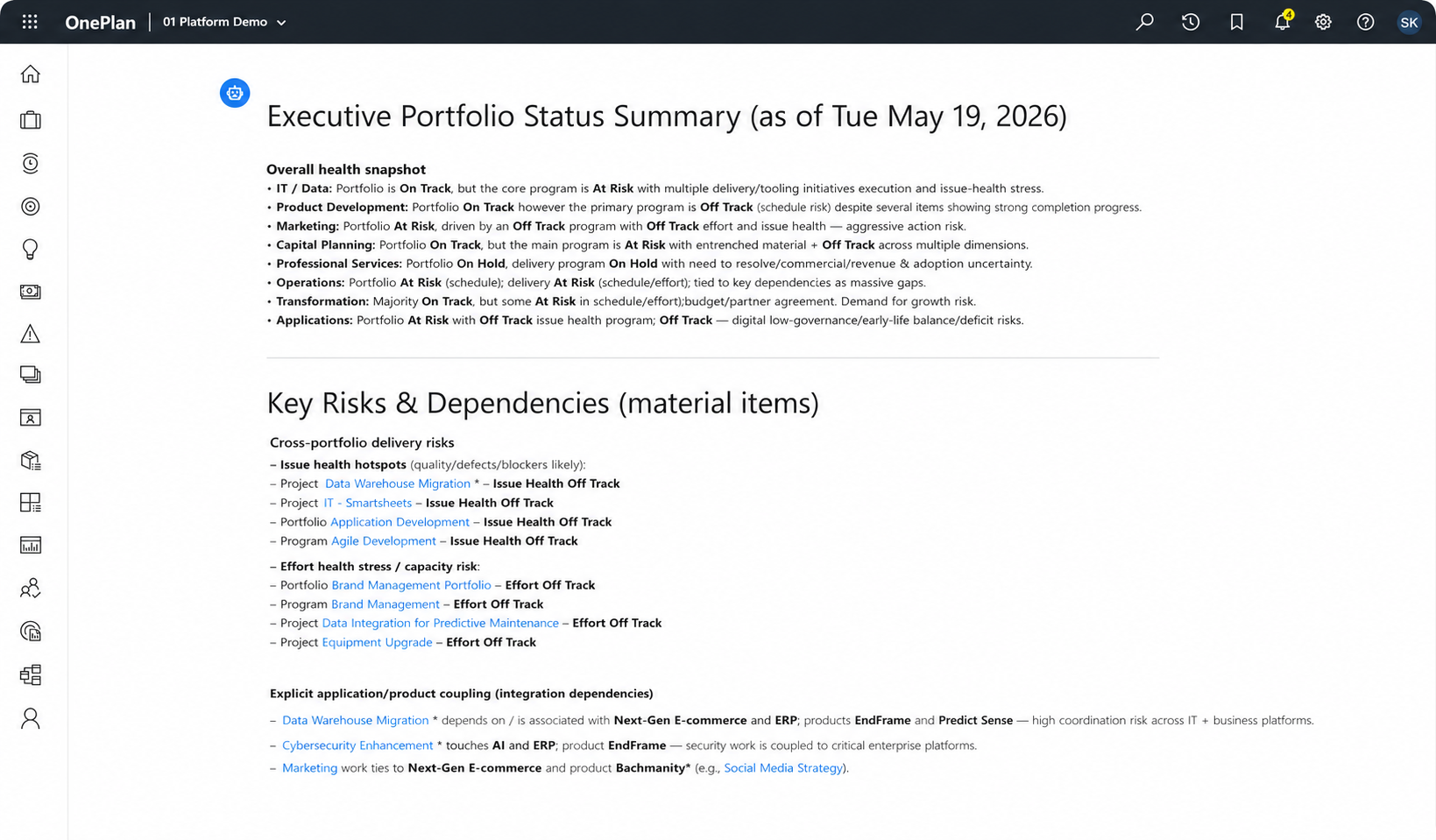
Natural language
Most AI tools answer general questions. Sofia AI answers your questions — about your live portfolio data, your active projects, and your organization’s specific strategy.
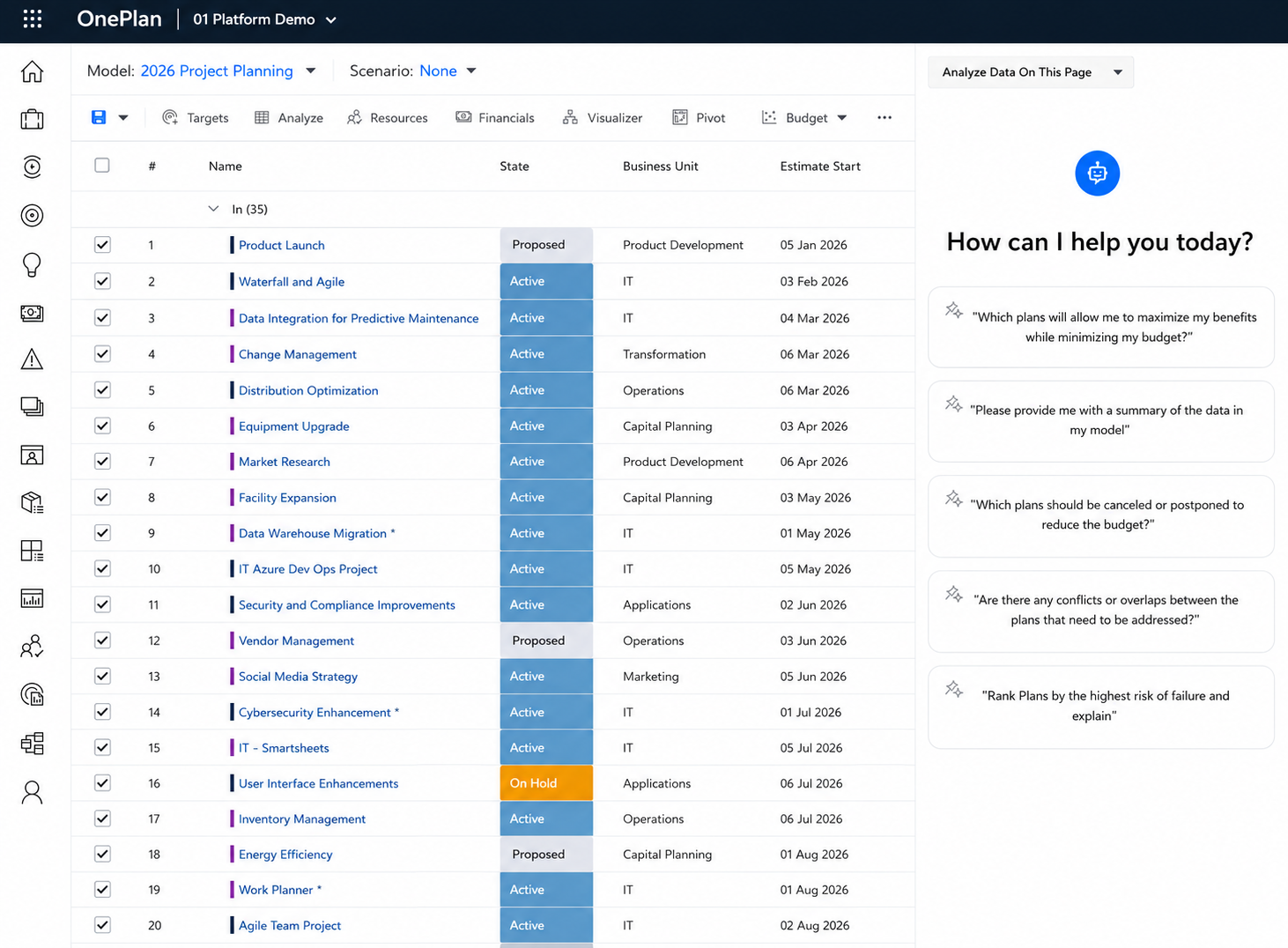
Predictive analytics
Strategic planning is time-consuming. Sofia AI compresses that time — from weeks of workshops and manual analysis to a conversation.
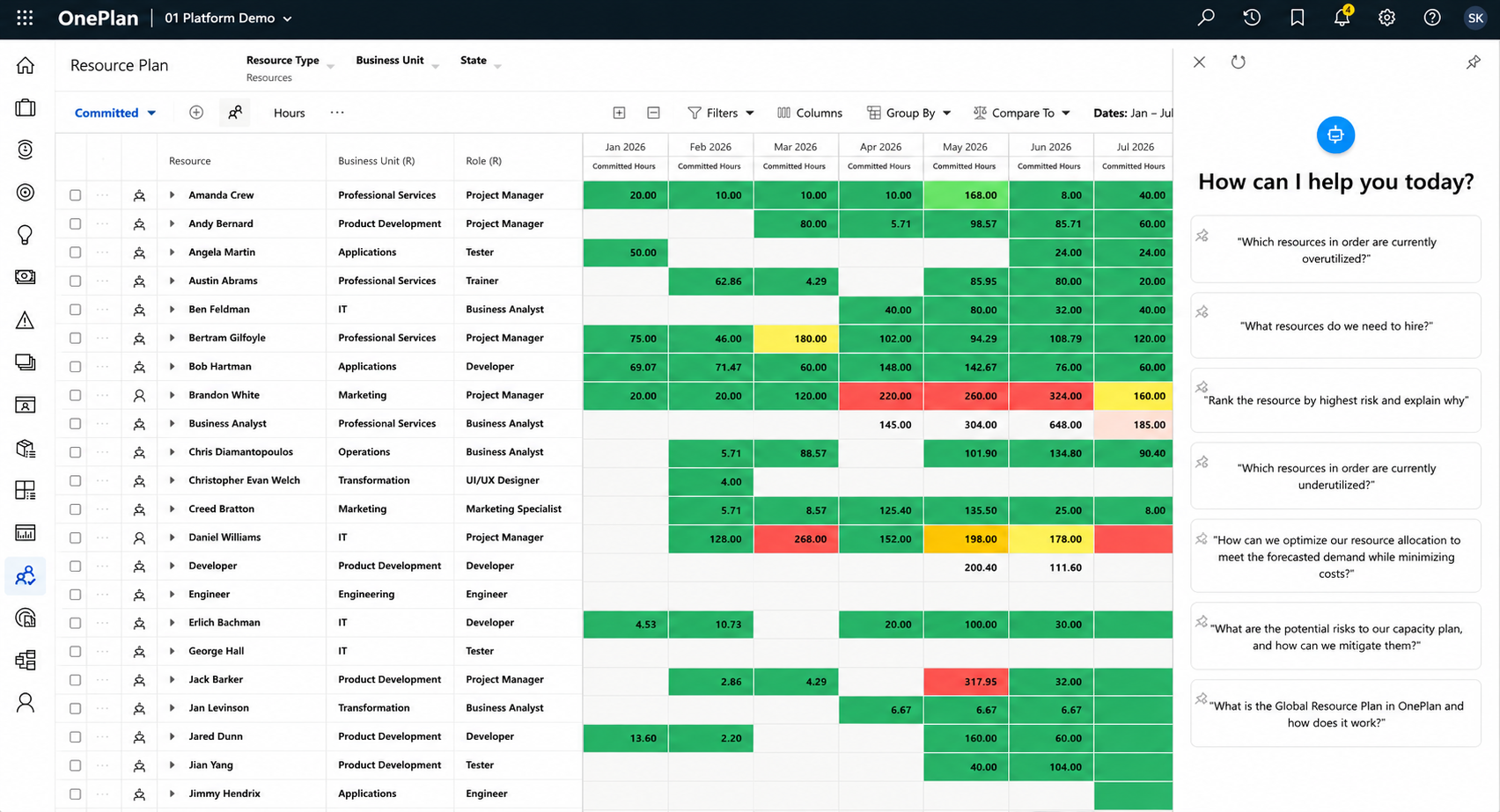
Reporting
At the project level, Sofia AI acts as a co-pilot — handling the time-consuming analytical and administrative work so project managers can focus on leading.
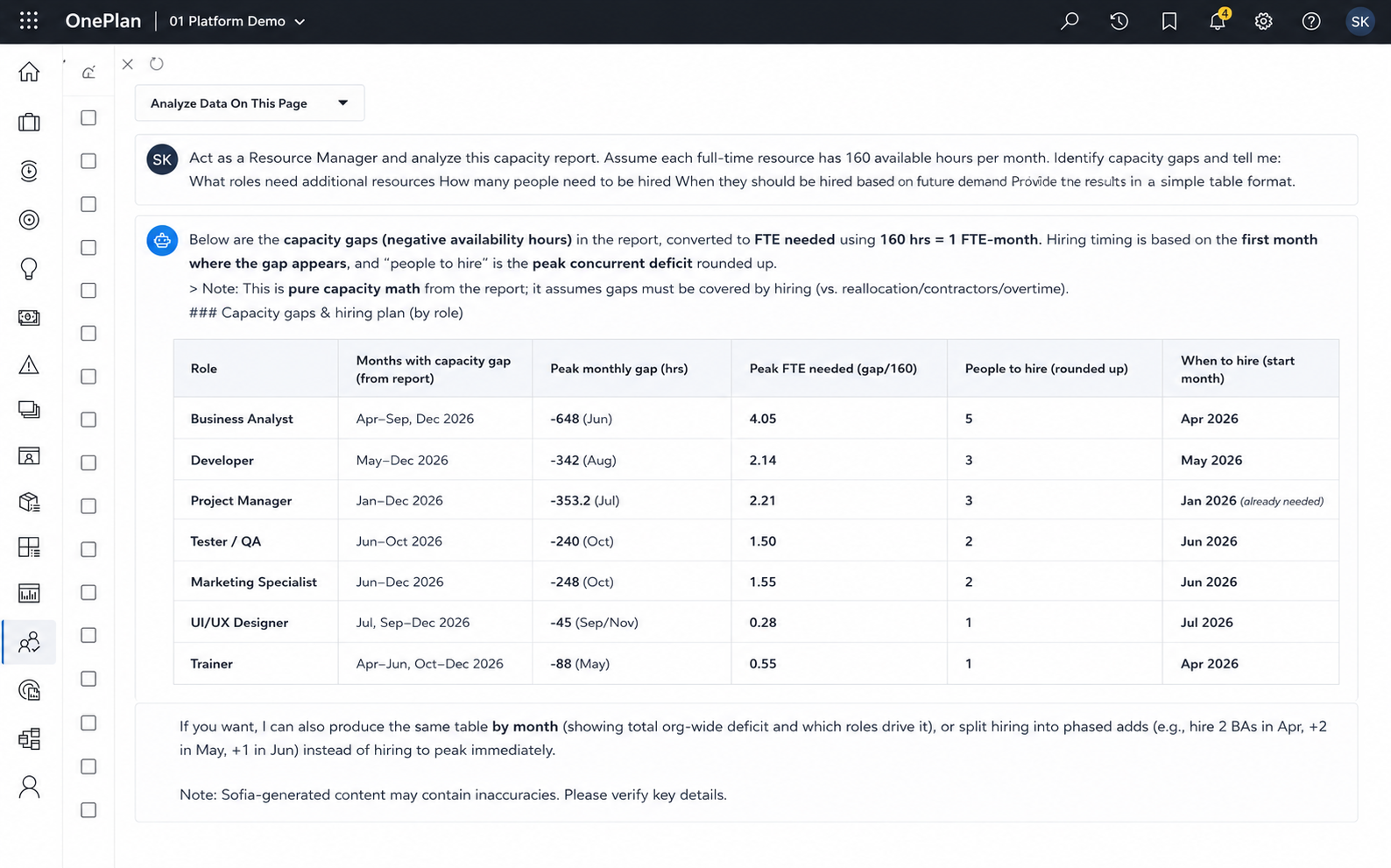
Data quality
Portfolio decisions — which projects to fund, defer, or cancel — are high-stakes and data-intensive. Sofia AI synthesizes your entire portfolio into clear, ranked, explainable recommendations.
Sofia AI is an intelligent assistant embedded inside OnePlan that understands your portfolio, your projects, and your strategy — and answers questions about them in plain language, in real time. Sofia adapts to how each role actually works. Executives, resource managers, plan owners, individual contributors. Same assistant, different lenses.
Leadership · strategic decision-making

Capacity planning · workload balancing

Project planning · schedule design

Task delivery · individual contributor

Sofia AI runs on Azure OpenAI. Same security perimeter as the rest of your Microsoft 365 stack. Nothing leaves your tenant.

Sofia AI operates within OnePlan’s controlled Azure environment. Customer data is never used to train public AI models and is not shared with other customers or third parties.

OnePlan maintains SOC 2 Type II certification. Every AI interaction is logged and auditable to meet your governance teams’ requirements.

Sofia AI respects the same permissions as OnePlan. Users only see AI insights for projects and data they’re already authorized to access.
AI in project and portfolio management automates time-consuming manual work — data entry, status tracking, report generation, and resource categorization — so project managers can focus on strategic decisions. Built into OnePlan, Sofia AI assistant analyzes your live project data in natural language, forecasts project completion, budget spend, and resource utilization, and flags risks before they become issues. It also supports scenario planning and what-if analysis, giving portfolio managers a real-time, data-driven view across their entire project landscape without switching tools.
Yes. AI-powered PPM tools use machine learning algorithms to analyze historical and live project data, identifying patterns that indicate schedule slippage, budget overrun, or resource bottlenecks before they escalate. OnePlan’s AI assistant continuously monitors portfolio data, automatically flags inconsistencies and anomalies, and generates risk-ranked insights and recommendations.
AI gives PMOs portfolio-wide visibility that manual processes can’t match. It automates progress tracking, status reports, and data validation across projects, flags cross-portfolio resource conflicts and bottlenecks, recommends prioritization based on strategic value, and surfaces insights from aggregated data in seconds instead of hours.
No. Customer data submitted to Sofia AI is not used to train public AI models or improve Microsoft’s foundation models. (support.oneplan.ai)
Yes — the most effective AI project management tools are deeply embedded in your existing ecosystem rather than requiring a separate workflow. OnePlan’s AI assistant works natively alongside Microsoft Teams, Project Professional, Microsoft Planner, and Project for the Web.
Customer data is processed within OnePlan’s secure Azure environment using Azure OpenAI and Microsoft’s enterprise-grade security and compliance controls.
No. Sofia AI respects existing OnePlan permissions and role-based security. Users can only access information they are already authorized to view.
Today, Sofia AI primarily provides recommendations, analysis, and content generation. Users remain in control of actions and decisions within OnePlan.
Sofia AI operates within OnePlan’s security and compliance framework, including SOC 2 Type II controls, ISO 27001 and ISO 27701 certifications, role-based access controls, and Microsoft’s Azure OpenAI security architecture. To read more, visit https://support.oneplan.ai/hc/en-us/sections/15690047765005-AI-Security
Start a free trial or book a 30-minute demo with a OnePlan specialist. See your real questions answered against your real data.