Project and Portfolio Management for Construction and Engineering
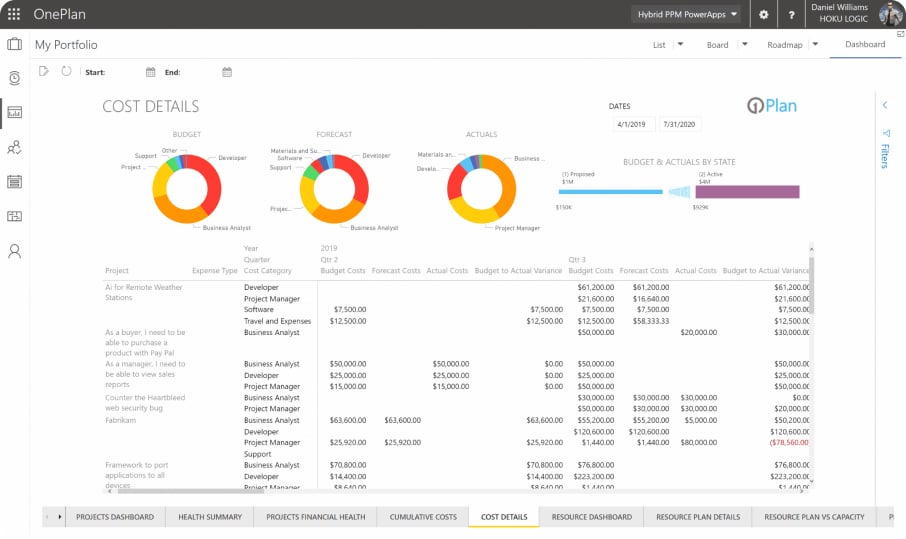
Keep scheduling in Microsoft Project and the Microsoft ecosystem your team already knows, while budgets, capacity, and portfolio status come together in one live view.
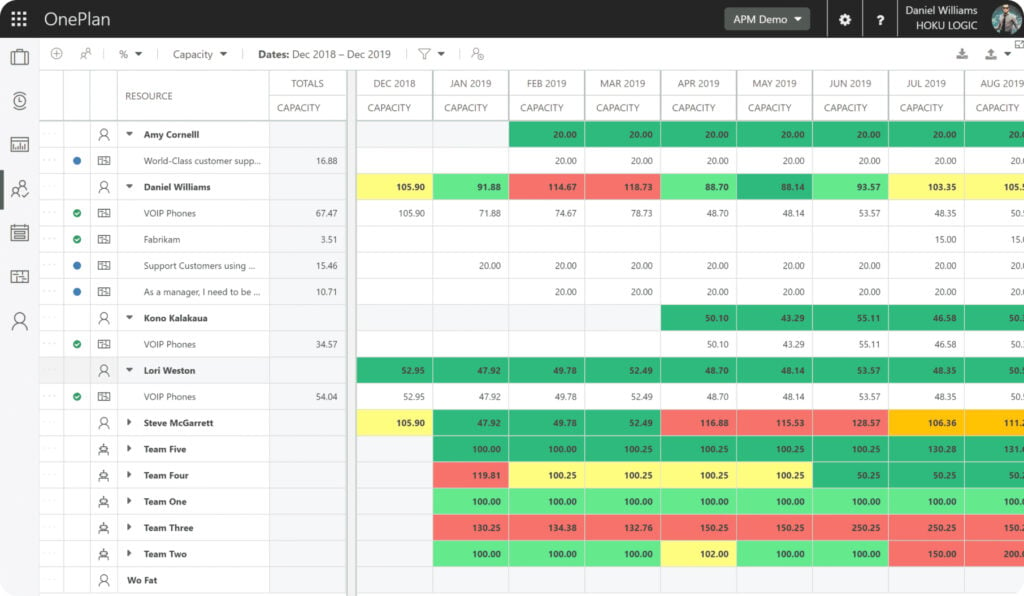
Model resource and team capacity across every project and align it to the delivery schedule, so the right people land on the right work before overallocation turns into overtime.
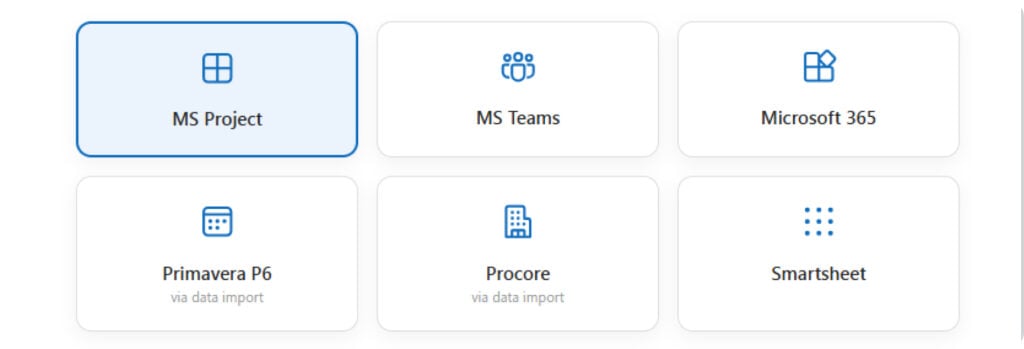
Keep scheduling in Microsoft Project. Bring in schedule and cost data from field and P6 sources on a regular cadence, so the portfolio view stays current without asking anyone to change tools.
Real-time dashboards and Sofia AI surface the schedule slips, budget risks, and resource gaps that need a decision today.
Make every construction decision with confidence
Bring AI-powered insight, workforce visibility, and built-in compliance together so teams can keep work moving and stay ready for what’s next.
Put AI where the decisions are made
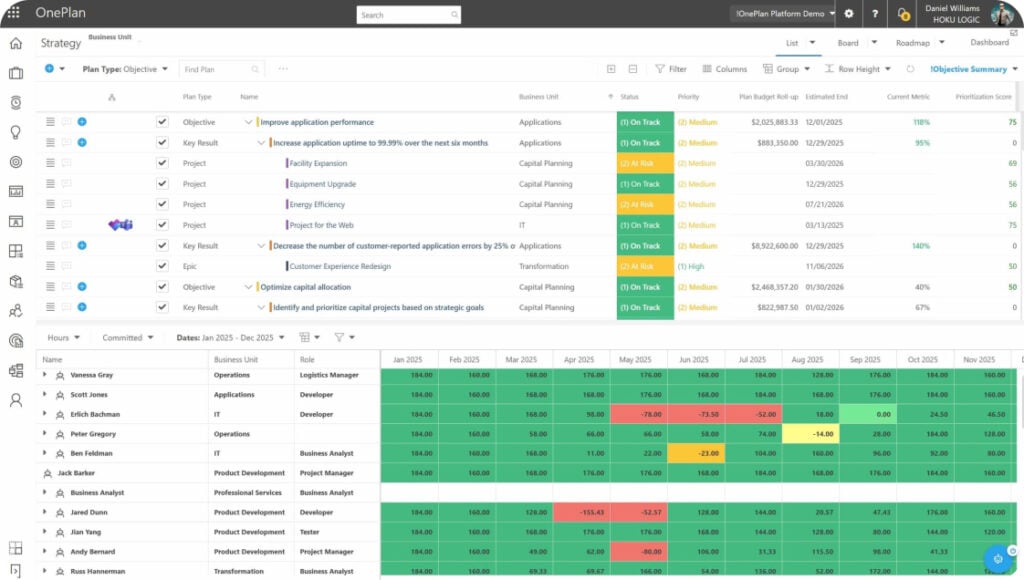
Sofia AI reads your live schedule, budget, and resource data to flag the slips and risks that need a call today — not another dashboard to interpret.
Know what your teams can actually deliver
Connected-jobsite visibility means real-time capacity across every crew, sub, and machine. Making it easier to commit to work your workforce can truly staff.
Stay compliant without slowing down
Standardized intake, approvals, and audit trails keep risk and regulatory reviews moving at the pace of the schedule — governance built in, not bolted on.
Built for where the industry is headed
The conversation on this year’s trade-show floors — from ConExpo’s new AI stage to the workforce sessions packing every room — comes down to three shifts. OnePlan was built for all three.
Approve the projects your capital can actually deliver
Too many projects chasing the same budget? Score every request against strategy, risk, and available capital, then model scenarios before you commit a dollar.
Know what your crews can actually deliver
Model capacity across every job site and align it to the look-ahead schedule, so the right people and equipment reach the right work before overallocation becomes overtime.
Keep the tools your teams already know
Schedule in Microsoft Project and bring field, cost, and portfolio data into one live view without forcing teams into a rip-and-replace migration.
Everything a construction and engineering program needs, in one place
Intake & prioritization
Capture requests and rank the pipeline.
RFIs & submittals
Track approvals without the email chase.
Bid & procurement
Run the pipeline from RFP to award.
CPM scheduling
Critical-path Gantts with dependencies.
Capacity heatmaps
Spot overallocation across job sites.
Cost & cash-flow
Forecast spend against the S-curve.
Built for the people who run the work
From the executives setting the portfolio to the managers and engineers delivering it, everyone works from the same plan.
PMO & IT leaders
Standardize intake, prioritization, and delivery across the portfolio.
Program & project managers
Run schedules, RFIs, budgets, and resources in one workspace.
Product & VDC engineering
Coordinate models, submittals, and technical work against the same delivery plan.
Executives & owners
Fund the right work and watch capacity, cost, and ROI in real time.
FAQs
Frequently Asked Questions
Portfolio & project management for construction, explained
Strategic portfolio management is how owners and PMOs evaluate, prioritize, and fund capital projects based on capacity, budget, and strategic value, then track them against ROI and delivery goals across the whole program, not just one project.
Construction PPM software connects project intake, prioritization, schedules, resources, budgets, risks, and portfolio reporting across many capital projects in one governed view.
Construction management tools typically coordinate delivery inside an individual project. PPM connects work across the full program so leaders can decide what to fund, balance capacity, and track performance against strategy.
AI can monitor live schedule, budget, and resource data, identify emerging risks, summarize portfolio conditions, and help teams compare scenarios before making funding or resourcing decisions.
OnePlan models capacity across every project and resource type such as teams, roles, and equipment, against the delivery schedule. Capacity heatmaps show where teams are stretched and where they have room, so you can commit to new work based on real availability instead of gut feel.
Stage gates, approvals, and audit trails run inside the same workspace as the schedule and budget, so oversight happens as the work moves, not in a separate review cycle. Teams keep delivering while the program stays compliant by default.
Ready to run your program in one plan?
Book a 30-minute demo and see your projects, budgets, and crews connected end to end.